Module 1
Printer Types & Cheque Feeding Orientations
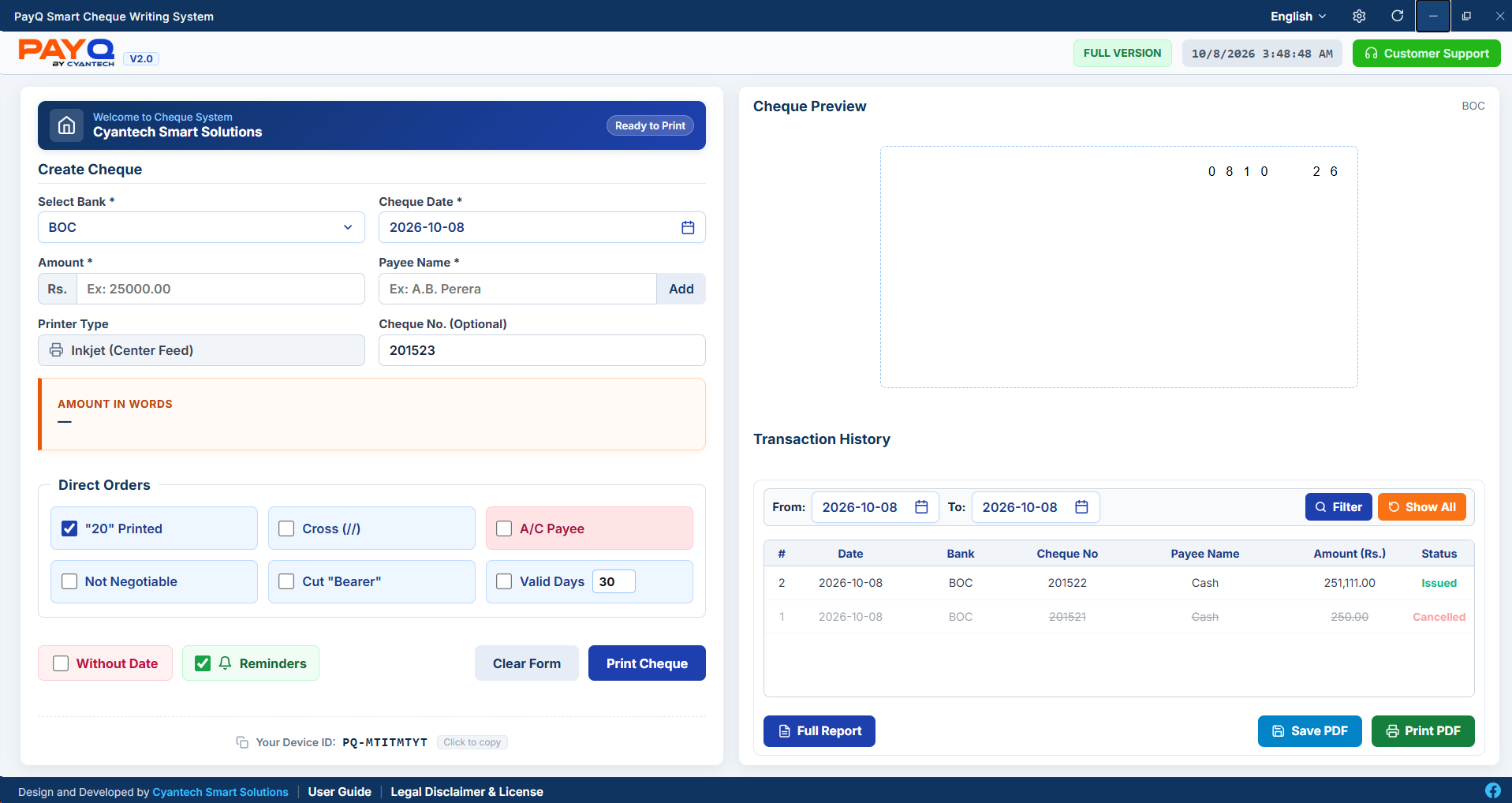
Standard Sri Lankan cheques (178mm × 90mm) must be inserted into the tray matching your printer mechanism.
CRITICAL DRIVER & PRINT DIALOG SETTINGS:
• Scale: Set strictly to 100% ("Actual Size"). Never use "Fit to Printable Area".
• Margins: Set margins to "None" (0 mm) to avoid paper shifts.
• Paper Size: Choose standard A4 or Envelope DL depending on your feeding tray.
1. Inkjet (Center Feed)
Epson L-Series (L1800, L3110), Canon Pixma, HP Smart Tank
• Place cheque in Center of paper tray.
• Rotate 90° Clockwise: Feed with Date-edge first.
• Adjust both side paper guides tightly against cheque.
2. Inkjet (Side Feed / Right Edge)
Printers aligning paper against right tray wall
• Push cheque flush against Right Guide.
• Rotate 90° Clockwise: Date edge enters printer feeder first.
3. Laser Printer (Center / Bypass Tray)
HP LaserJet, Canon imageCLASS multipurpose feed slots
• Use printer's Manual Feed / Bypass Tray.
• Insert cheque horizontally with Company Logo edge entering first.
4. Dot Matrix (Batch Continuous Feed)
Epson LQ-310, LX-300 continuous pin-feed tractor cheques
• Engage cheque sprocket holes firmly in Tractor Wheel Feeder.
• Position cheque Centered in Landscape orientation.
Module 2
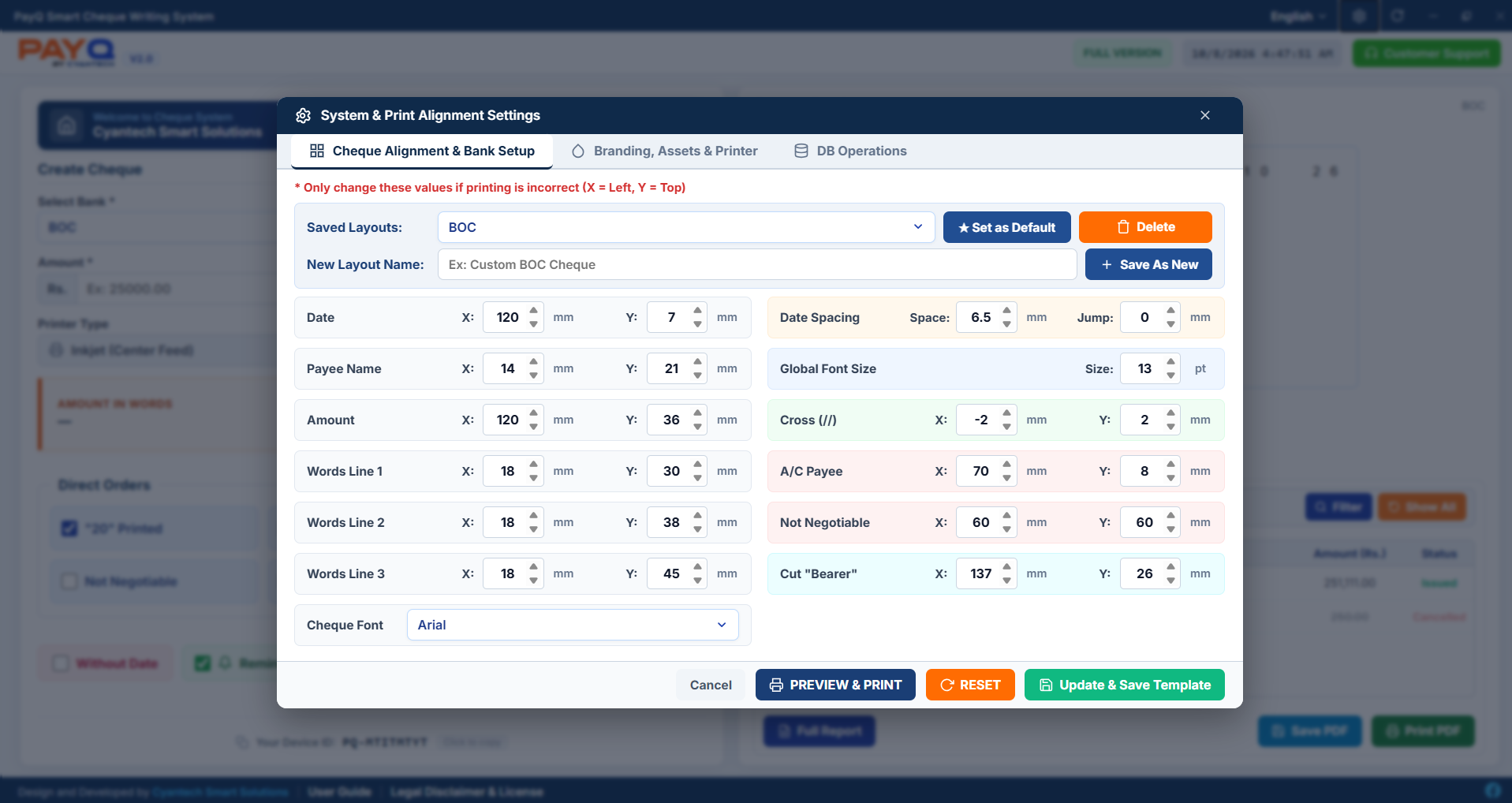
Cheque Alignment, Coordinates & Auto-Counter
Calibrate via Settings > Cheque Alignment & Bank Setup.
STANDARD SIZE
178mm × 90mm Dimensions
All Sri Lankan bank cheques adhere to 178mm x 90mm. Ensure your cheque paper matches this standard prior to alignment.
AUTO-COUNTER
Continuous Cheque Counter
Enter your starting cheque book leaf number and click 'Set'. PayQ automatically increments (+1) after each print without manual entry.
Module 3
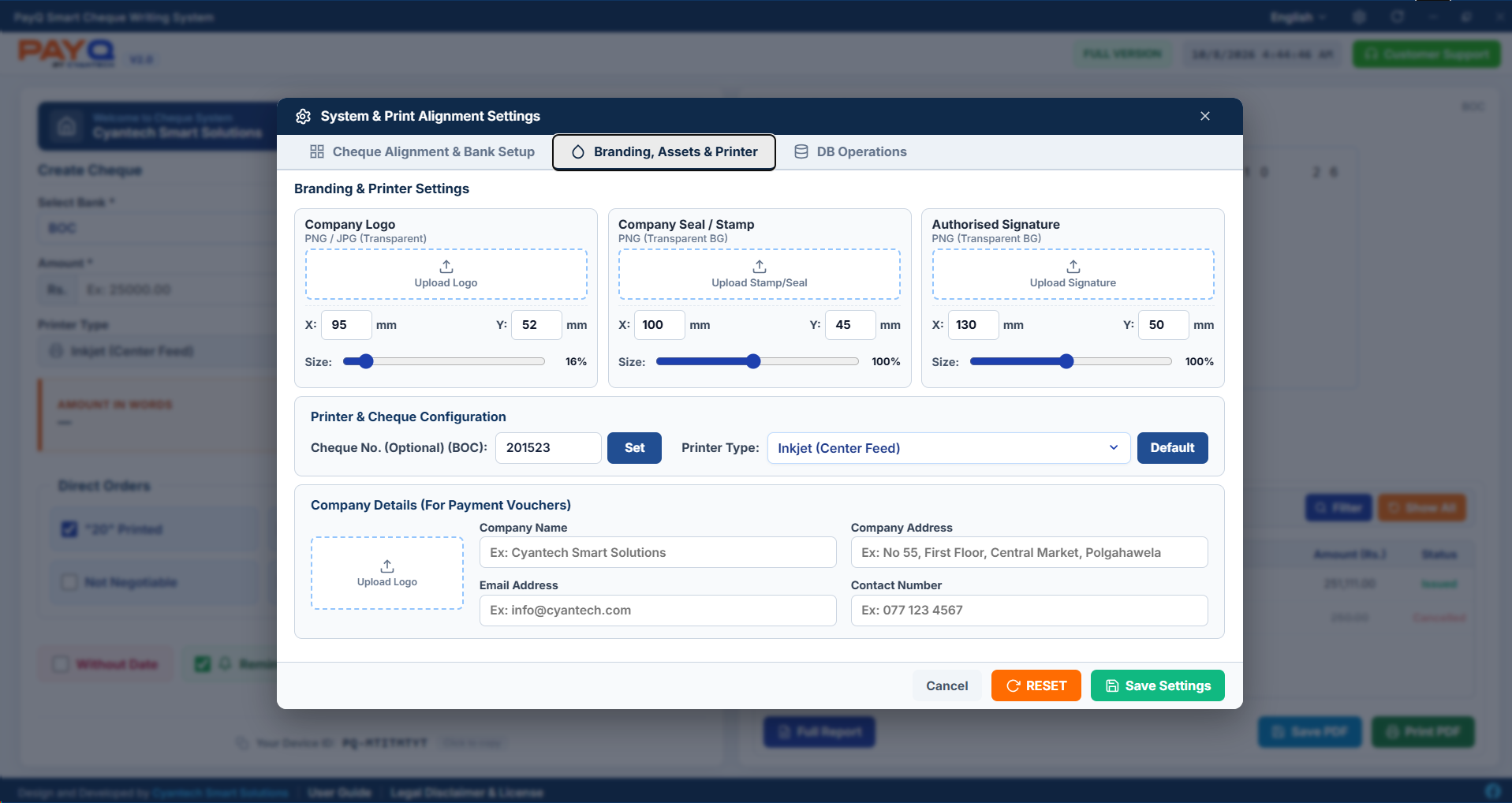
Branding, Company Assets & Voucher Configuration
Configure company logos, official seals, and voucher metadata under Settings > Branding, Assets & Printer.
Company Details (For Payment Vouchers):
Enter your official company details at the bottom of Branding Settings to populate voucher receipts automatically.
Module 4
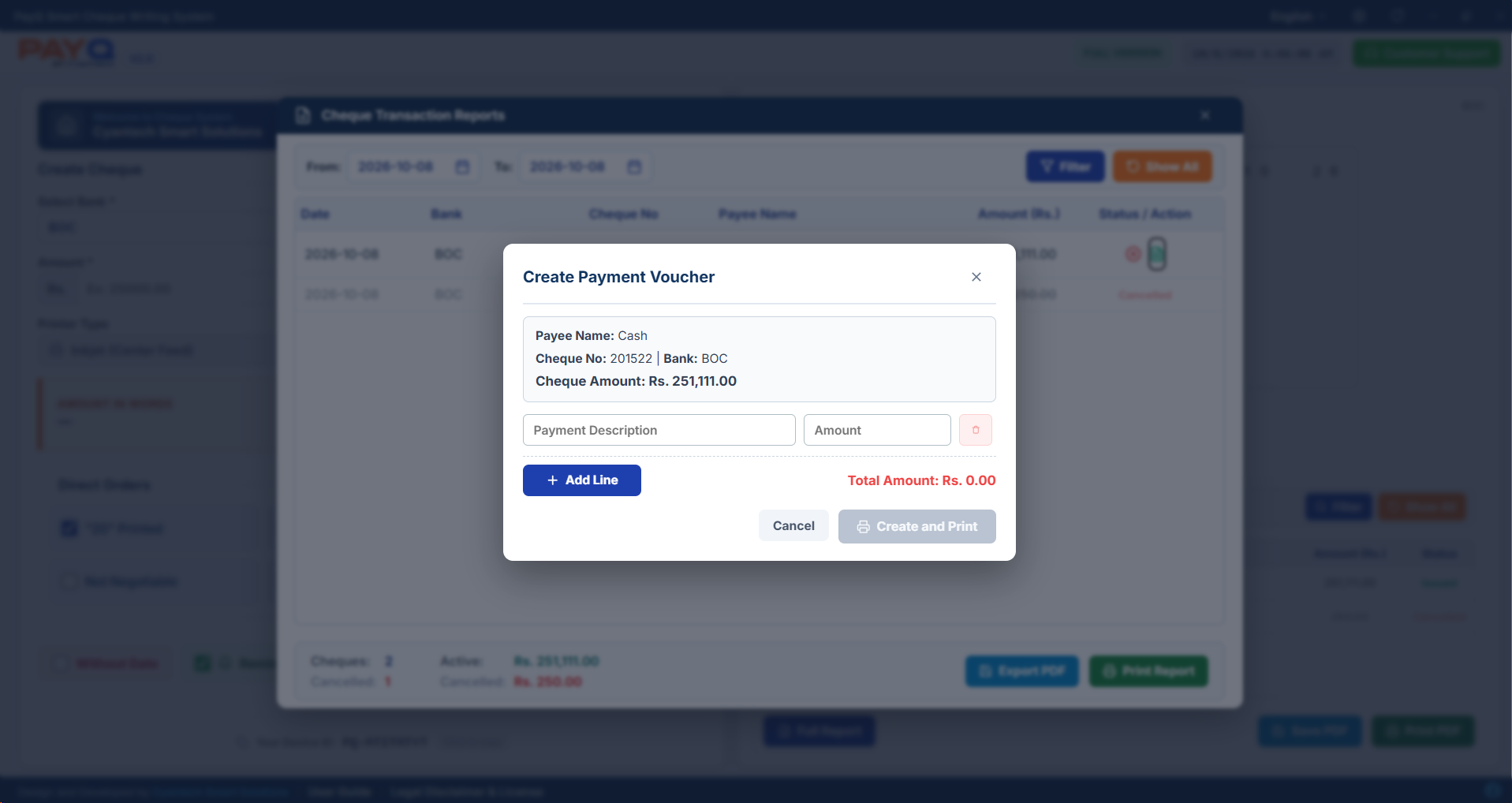
Payment Vouchers: Creation, Balance Matching & Reprinting
Payment Vouchers are generated directly from the Cheque Transaction Reports module.
Module 5
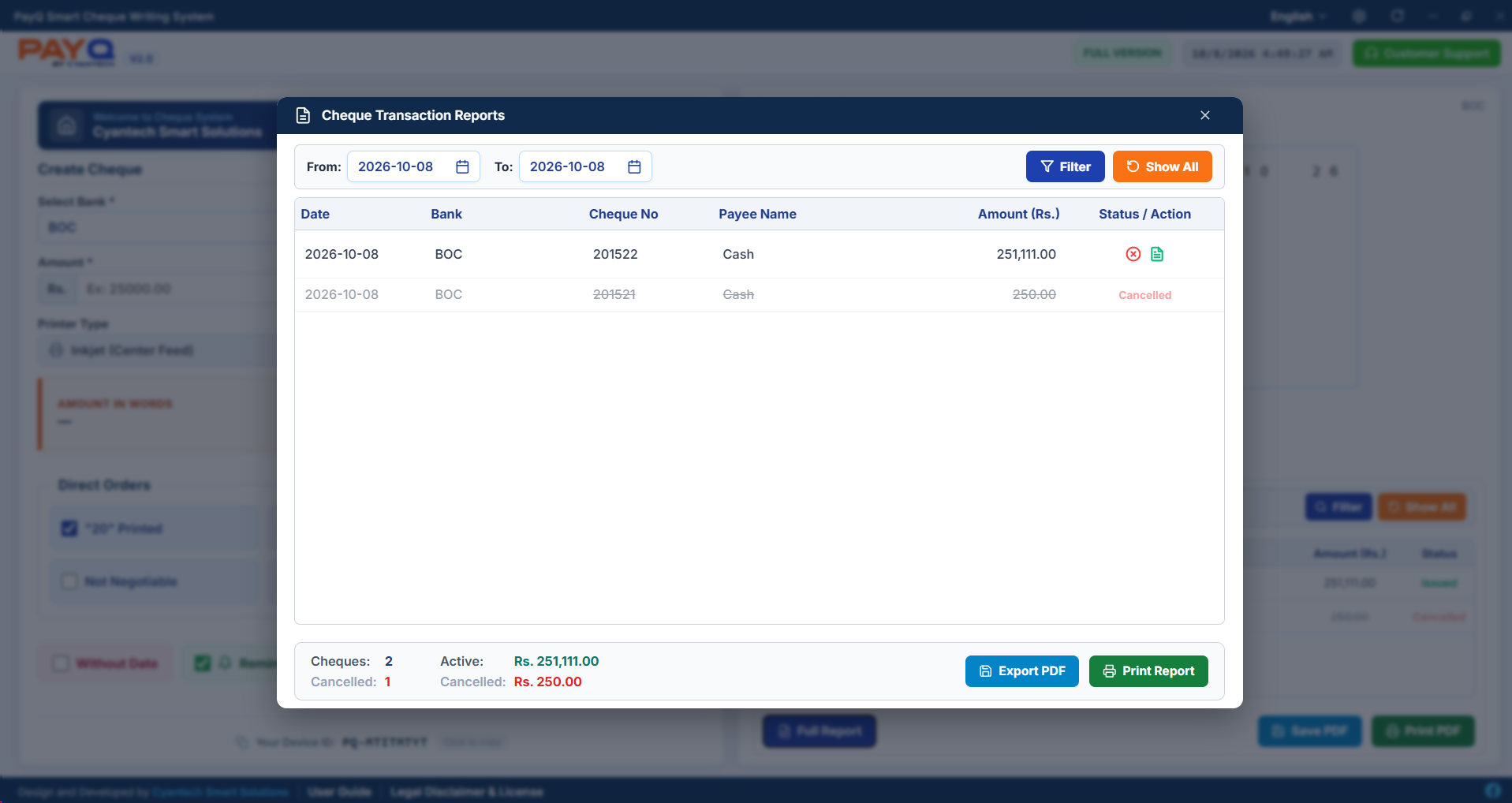
Transaction Reports & Cheque Cancellation (Voiding)
Audit tracking and safe voiding of damaged or cancelled leaf numbers.
Module 6
Database Backup, Restore & Admin Security PIN
Manage database safety under Settings > DB Operations.